
A single QR code printed on a funeral programme can replace a dozen WhatsApp messages. Guests scan it with their phone camera and instantly reach the tribute page — complete with photos, the obituary, livestream, donation link, and messages of condolence. No app downloads, no typing long URLs, no confusion.
What Is a Funeral QR Code?
A QR code (Quick Response code) is a small square barcode that any smartphone camera can read. When scanned, it opens a web page — in this case, the digital tribute page you created on TributePoint.
Think of it as a shortcut. Instead of telling every guest to type tributepoint.co.za/john-doe into their browser, they simply point their phone at the printed code and everything opens automatically: the full obituary, photo gallery, livestream, donation page, and condolence messages — all in one place.
Every smartphone sold in South Africa since 2018 can scan QR codes using the built-in camera — no special app is needed. Just open the camera, point it at the code, and tap the link that appears.
Why Use a QR Code at a Funeral?
Funerals are emotional, time-pressured events. Information needs to reach people quickly and without friction. Here is how a QR code helps:
1. One Scan Does Everything
A single scan gives every guest immediate access to the obituary, photo gallery, order of service, livestream, and donation page. No searching, no scrolling through WhatsApp groups, no asking around for the link.
2. Include Distant Family
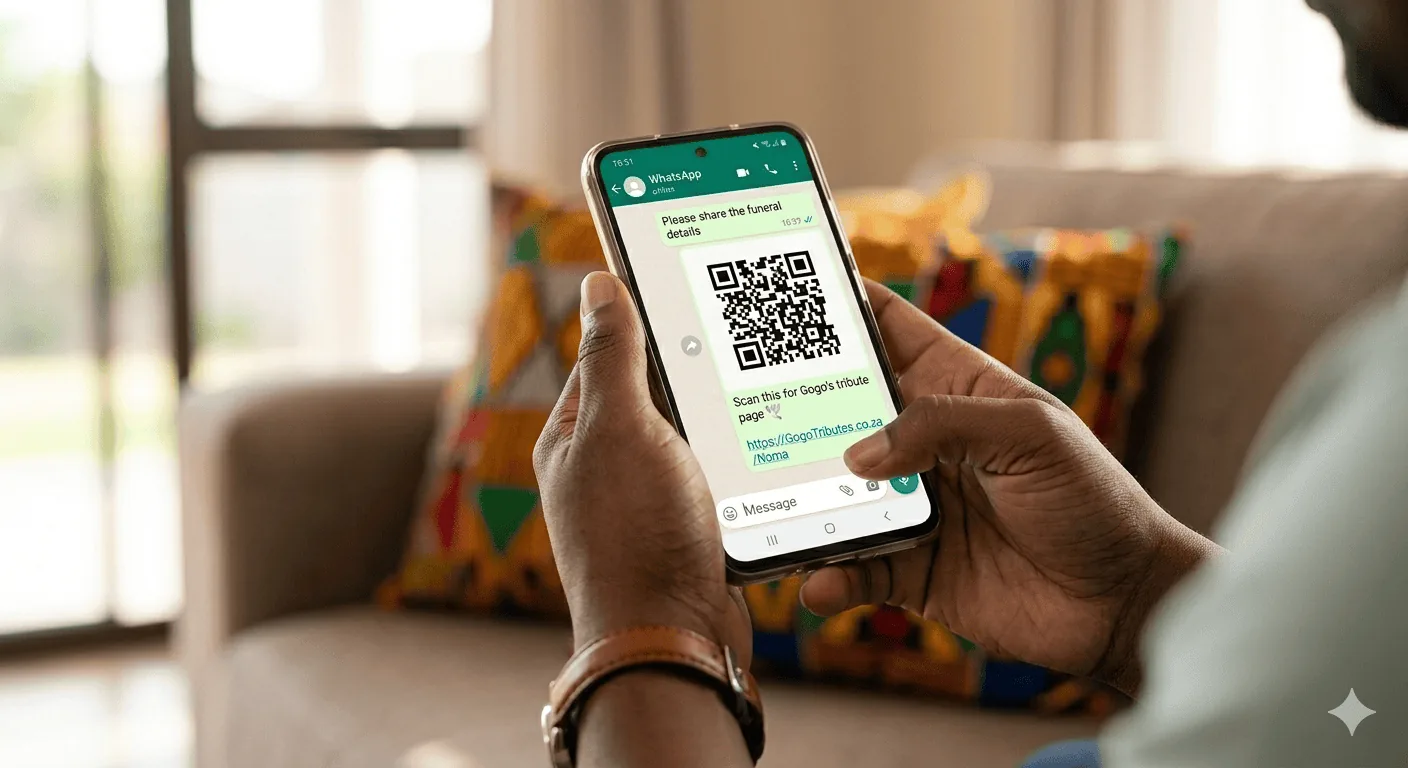
Family members who cannot attend — whether they are in another province, in the UK, or anywhere else — can scan the QR code from a photo sent via WhatsApp and watch the service live, leave a message, or contribute to a donation.
3. Replace Expensive Printed Programmes
A traditional printed funeral programme costs money, takes time to design, and is limited in what it can include. A QR code printed on a simple card or A4 page links to a living digital programme that can be updated in real time — add late speakers, change hymn numbers, or extend the photo gallery at any moment.
4. Collect Donations Securely
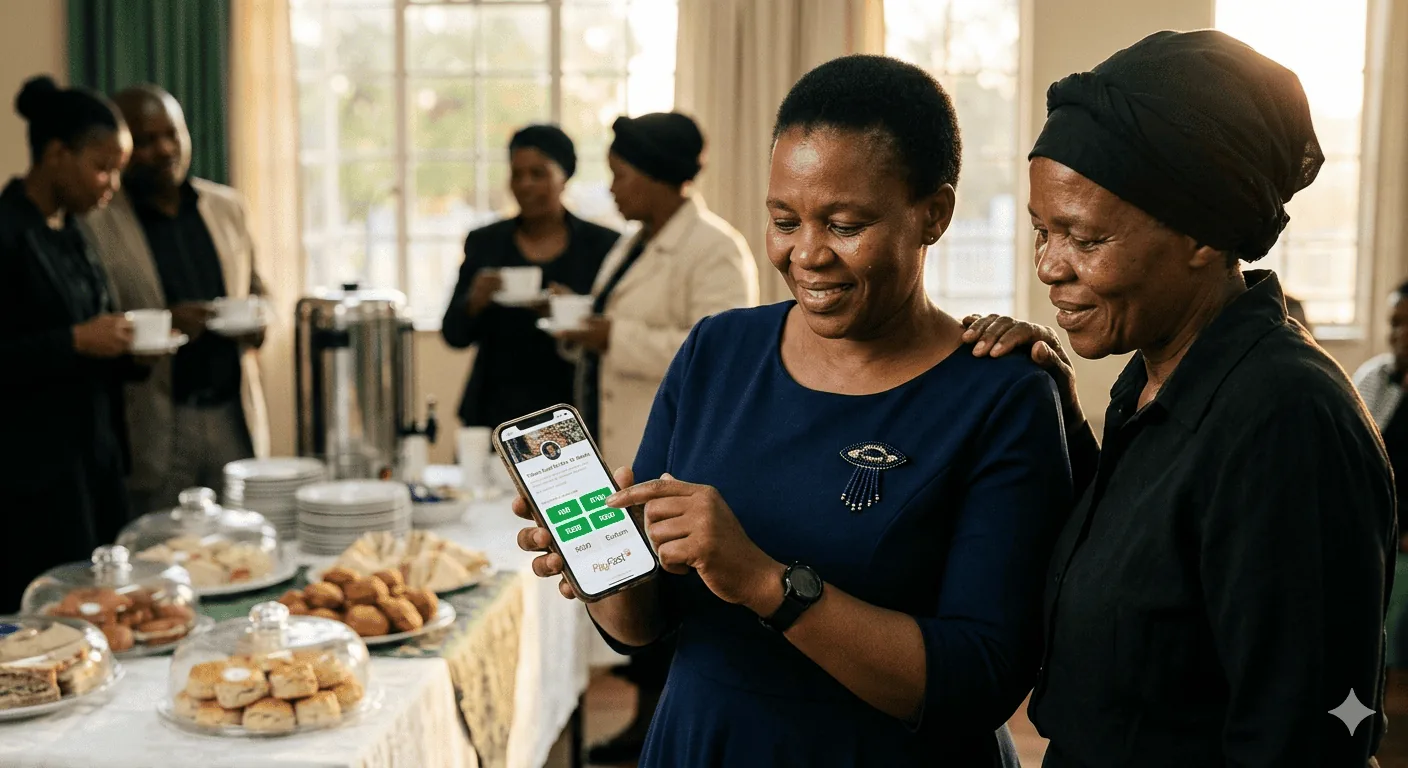
Instead of passing an envelope around — which is stressful for families and awkward for guests — the tribute page includes a secure PayFast-powered donation form. Guests scan, tap an amount, and pay instantly with their phone. Every rand is tracked and recorded for the family.
5. Keep Memories Forever
A printed programme gets tucked into a drawer and forgotten. The QR code links to a permanent memorial page that the family can revisit on anniversaries, birthdays, or whenever they need to remember. Photos, messages, and the full story of a loved one — preserved and accessible for years.
Where to Place the QR Code
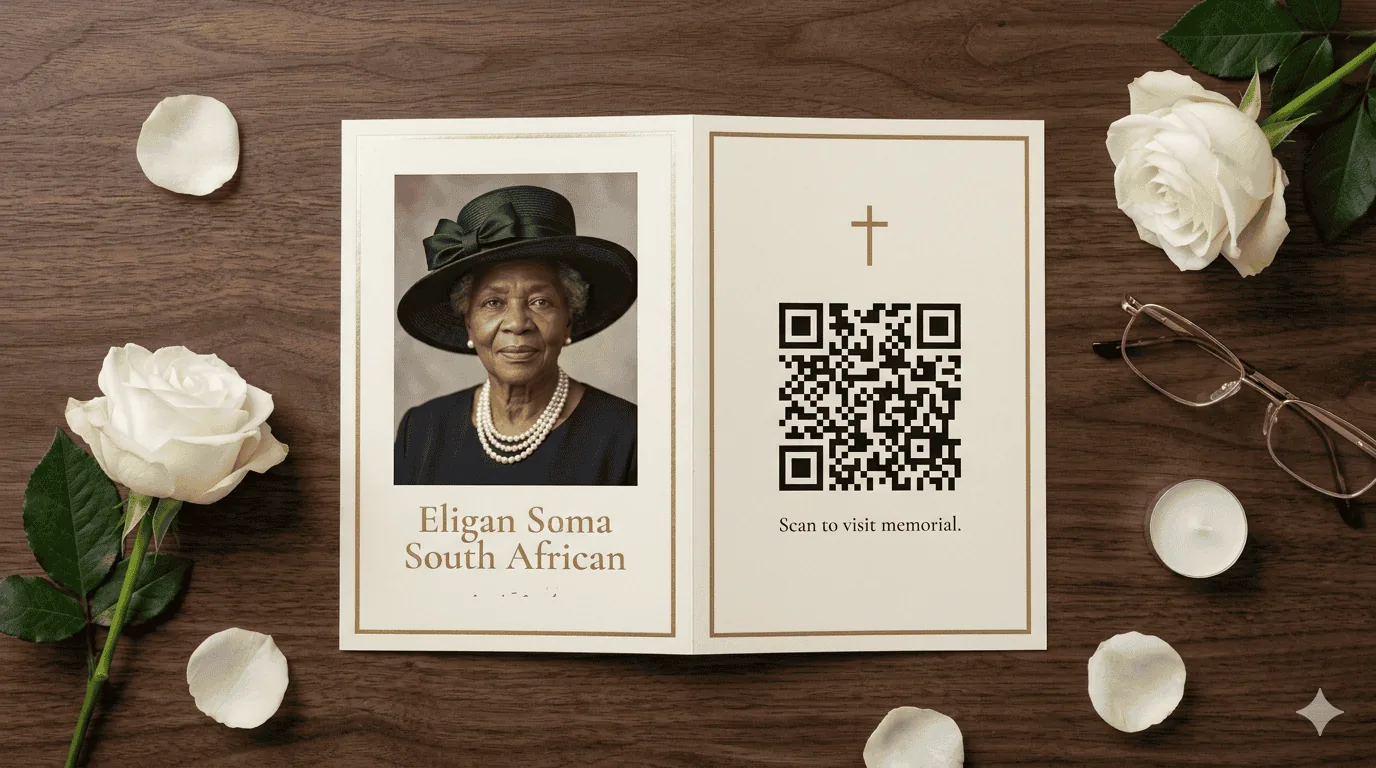
The code works best when it is visible, accessible, and placed where guests naturally look. Here are the most effective placements:
Funeral Programme
Print it on the front or back cover of the order of service. Every guest gets one.
Memorial Board
Place a large printed QR code next to the photo display at the venue entrance.
Guest Sign-In Table
Print it on a small stand card where guests register. They scan while they wait.
WhatsApp & Social Media
Send the QR code image in family groups. Distant relatives scan from their phone.
Funeral Notice
Include it in the death notice sent to community members and church groups.
Tombstone / Memorial Plaque
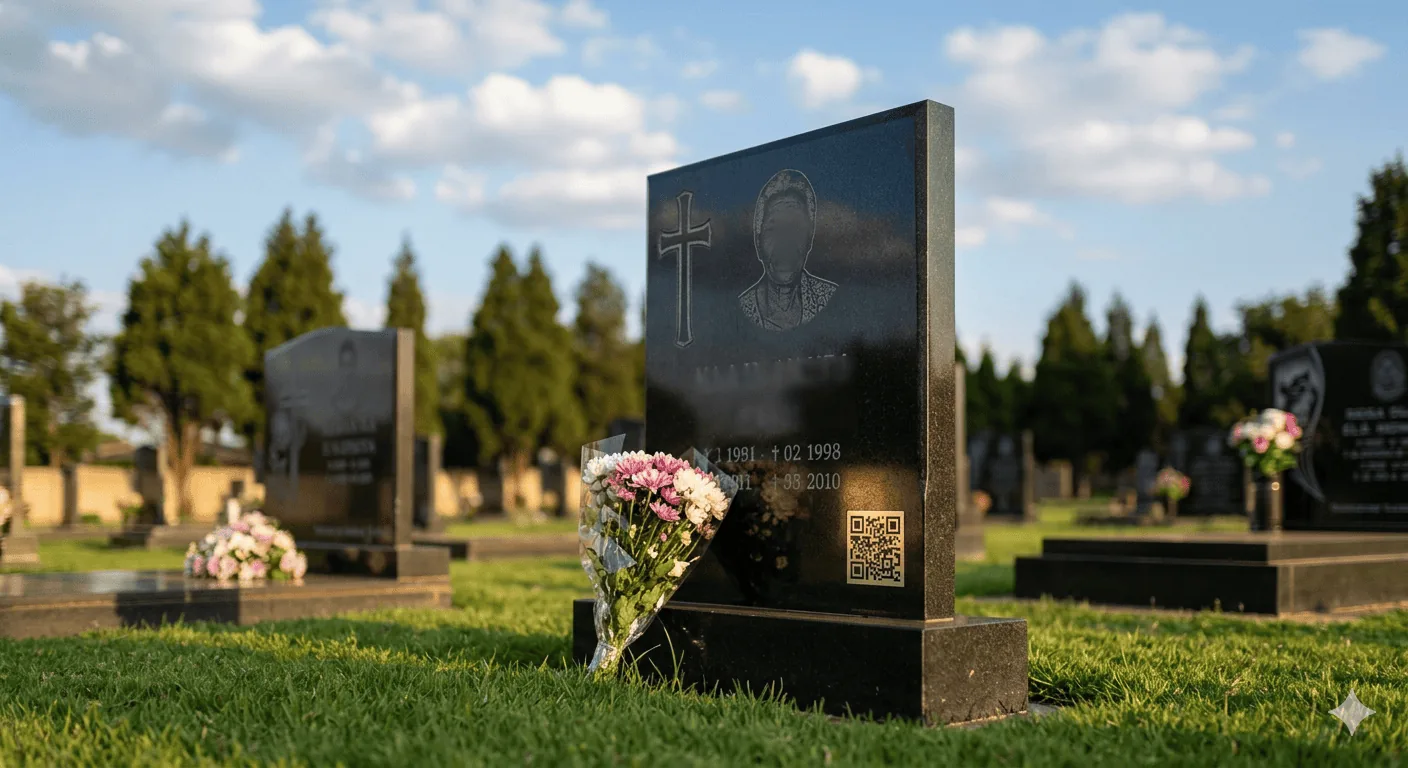
Some families engrave a QR code on the tombstone so future visitors can access the tribute.

For best results, download the high-resolution (1000px) version from TributePoint. Print at minimum 3cm × 3cm for close-up scanning, or 8cm × 8cm for posters and boards that need to be scanned from a distance.
How to Get Your QR Code on TributePoint
Every tribute you create on TributePoint automatically generates a QR code. You do not need any technical skills. Here is how to find and download it:
- Log in to your TributePoint account and open the tribute you want to share.
- Go to the QR Code section — on the Edit Tribute page, scroll down to Section 8 (QR Code), or click the “QR Code” button on your Dashboard.
- Preview the code — you will see a live preview of the QR code that links directly to your tribute page.
- Download it — choose between Standard (256px) for digital sharing or High-Res (1000px) for printing on programmes and posters.
- Print or share — paste the downloaded image into your funeral programme design, print it on a card, or send it directly via WhatsApp.

What Guests See When They Scan
When a guest scans the QR code, their phone opens the tribute page in their browser. Depending on what the family has set up, the page may include:
- Full obituary — the life story, survived-by list, and funeral details.
- Photo gallery — pictures from different stages of the loved one’s life.
- Livestream — if the service is being streamed, guests can watch live from anywhere.
- Digital programme — the order of service that the MC can control in real time.
- Donation page — secure payments via PayFast to support the family (Send Flowers & Support).
- Condolence messages — a place for guests to leave messages of love and support.
- Memorial page — a permanent tribute that lives on after the funeral.
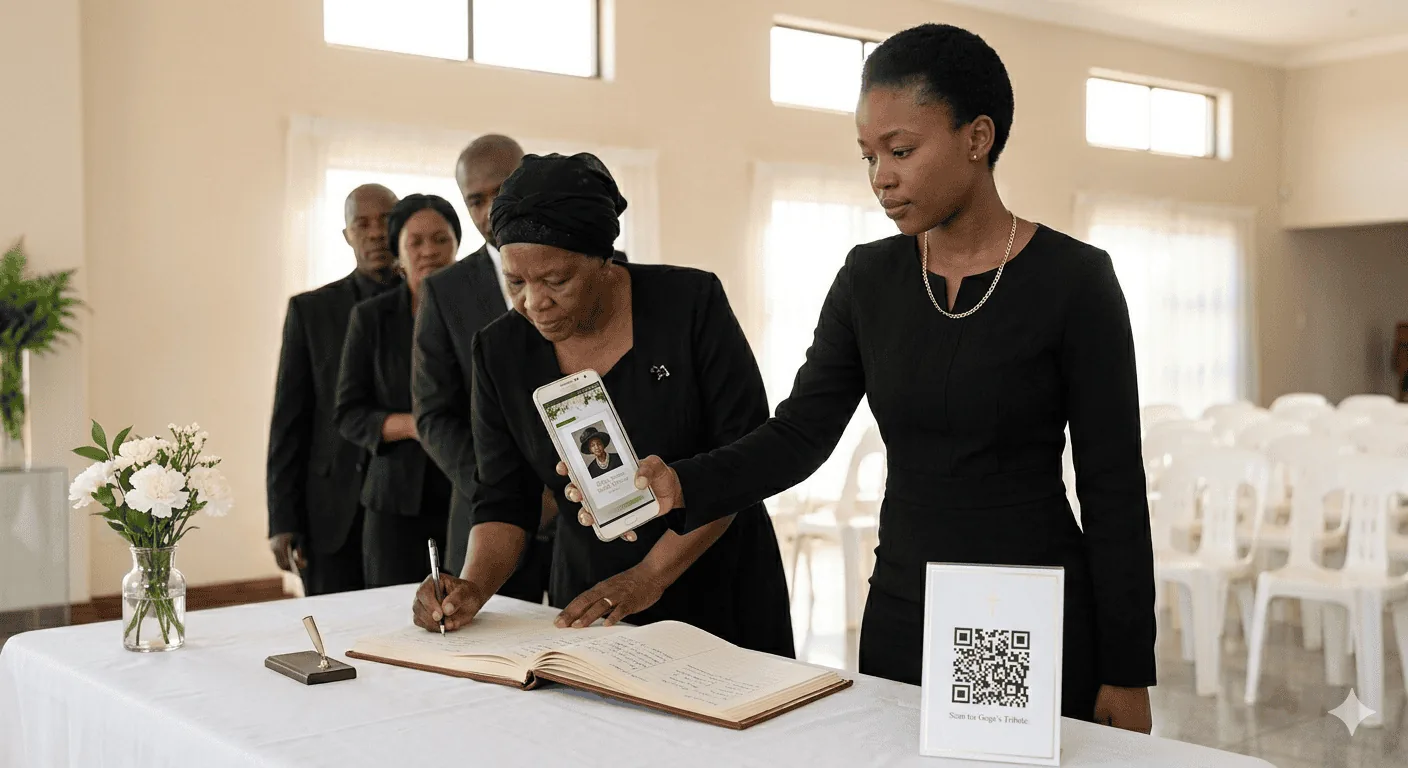
All of this loads instantly on any phone — no app downloads, no account registration, no data-heavy video calls. Just one scan.
Tips for a Smooth Experience
Test Before the Funeral
After downloading your QR code, scan it yourself to make sure it opens the correct tribute page. Ask a family member to test from their phone too. Check that the obituary, photos, and other features are visible.
Venue Wi-Fi Helps
If the venue has Wi-Fi, ask the manager to share the password. Print it alongside the QR code so guests do not use their own data. TributePoint pages are lightweight and load well even on slower connections.
Toggle Features On or Off
Not ready for donations yet? Want to hide the livestream until the day of the service? TributePoint lets you toggle each feature individually — including the QR code itself — so you control exactly what guests see.
Keep Contrast High
Always print the QR code in dark navy or black on white paper. Do not print it on a coloured or textured background — phones need clear contrast to scan reliably. The TributePoint QR code is already optimised with high error correction so it still works even if slightly damaged.
Real-Life Example
A family in Soweto recently held a funeral for their grandmother. They created a tribute on TributePoint, uploaded 40 photographs spanning seven decades, and wrote a heartfelt obituary in both Zulu and English. They downloaded the QR code and printed it on the funeral programme — a simple A5 folded card.
At the service, over 200 guests scanned the code. Those who could not attend — family in Durban, a granddaughter in London, and an uncle in Limpopo — watched the livestream from the same link. Donations totalling over R12,000 were collected through the tribute page, all tracked and transparently recorded. The family did not have to pass around an envelope or handle cash.

Months later, the page is still visited by family members who want to look at the photos and re-read the messages of condolence. The QR code on a fridge-magnet memorial card links them straight back.
Using QR Codes on Tombstones
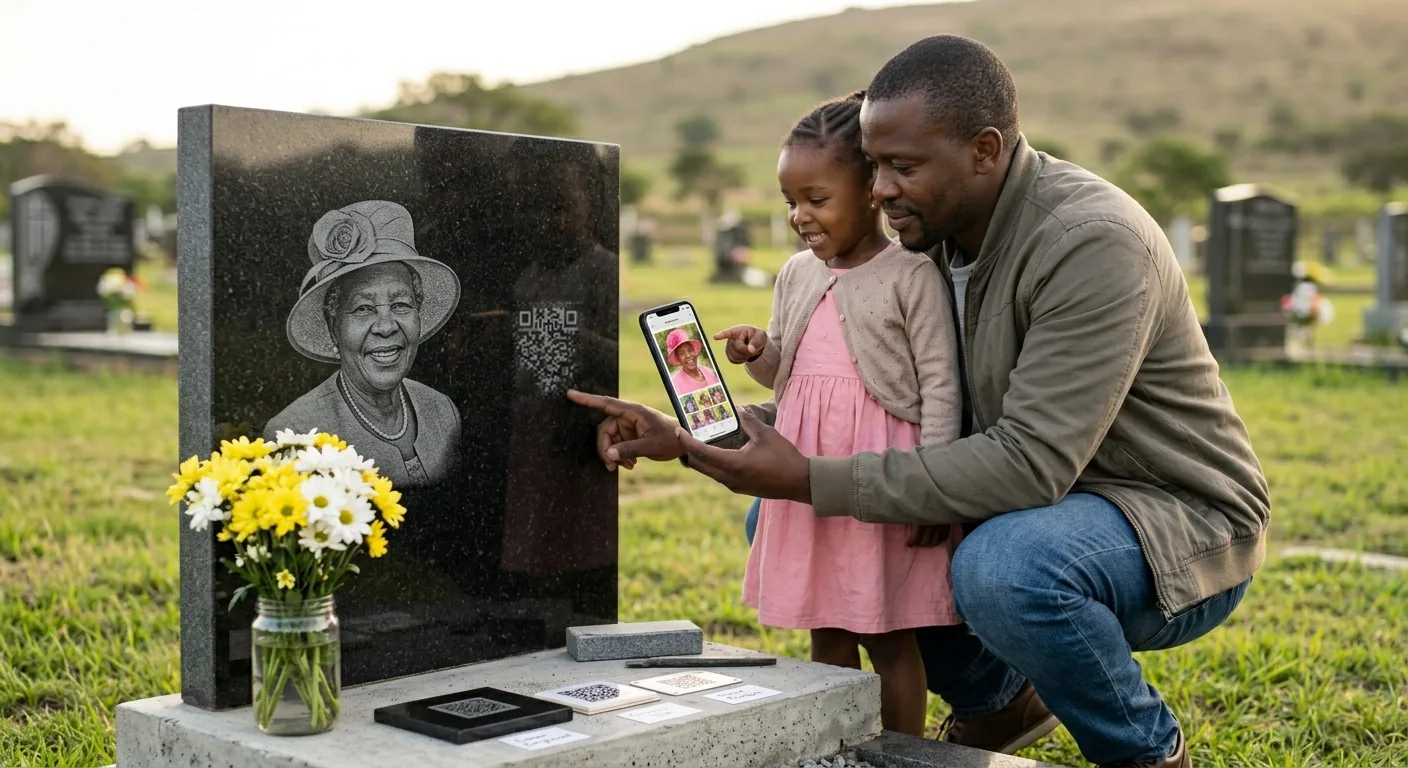
A funeral lasts a day. A tombstone lasts a lifetime. More and more South African families are choosing to place a small QR code on the headstone itself — turning a static memorial into a living one. Anyone who visits the grave can scan the code with their phone and immediately see photographs, the full life story, and messages from loved ones.
It is a simple idea with a powerful effect: a grandchild born years from now can stand at the graveside, scan the code, and meet the person they never knew — through photos, stories, and the words of people who loved them.
How It Works in Practice
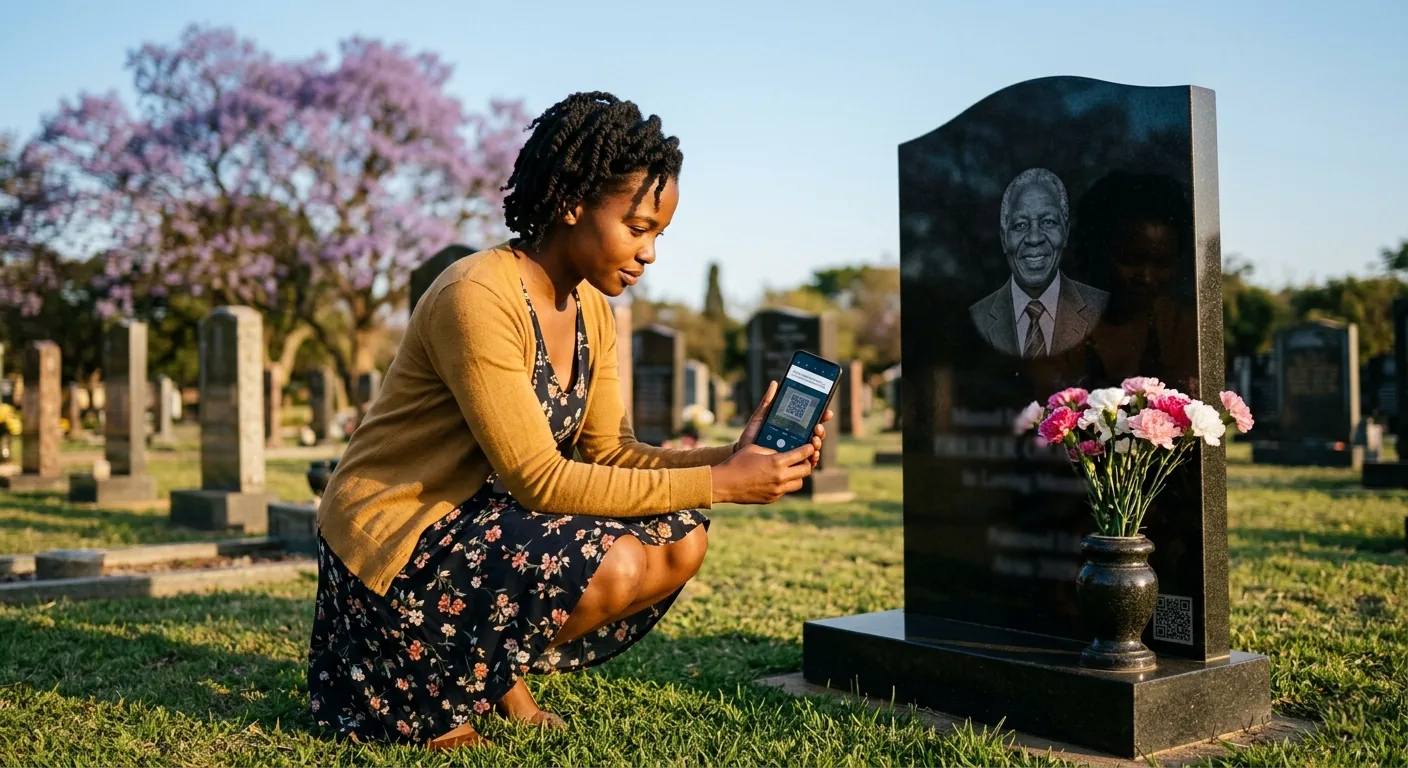
A visitor arrives at the cemetery — perhaps on an anniversary, or just because they were nearby and wanted to pay their respects. They notice a small QR code on the lower corner of the headstone. They open their phone camera, point it at the code, and tap the link that appears. Within seconds they are looking at a tribute page filled with photographs, a written obituary, and dozens of condolence messages left by family and friends.
No searching online. No trying to remember a web address. No asking the family for a link. The grave itself becomes the gateway to the full story of the person who rests there.
Why Families Choose This
A headstone can hold a name, two dates, and perhaps a short inscription. A QR-linked tribute page holds everything else:
- A complete life story — written in the family’s own words, in any language, with as much detail as they wish.
- Decades of photographs — from childhood to old age, milestones, family gatherings, and everyday moments.
- Messages from loved ones — condolences left at the time of the funeral and new messages added on anniversaries.
- A connection across generations — future family members can discover who this person truly was, long after those who knew them are gone.
For many families, this is the most meaningful part. The headstone says who is buried here. The QR code tells you who they were.
How to Add a QR Code to a Tombstone
The process is straightforward, and you do not need to be technical. Here are the steps:
- Create the tribute page — set up the digital memorial on TributePoint with the obituary, photos, and any other content you want visitors to see.
- Download the QR code — go to the QR Code section of your tribute and download the high-resolution version (1000px). This is the image your stonemason will use.
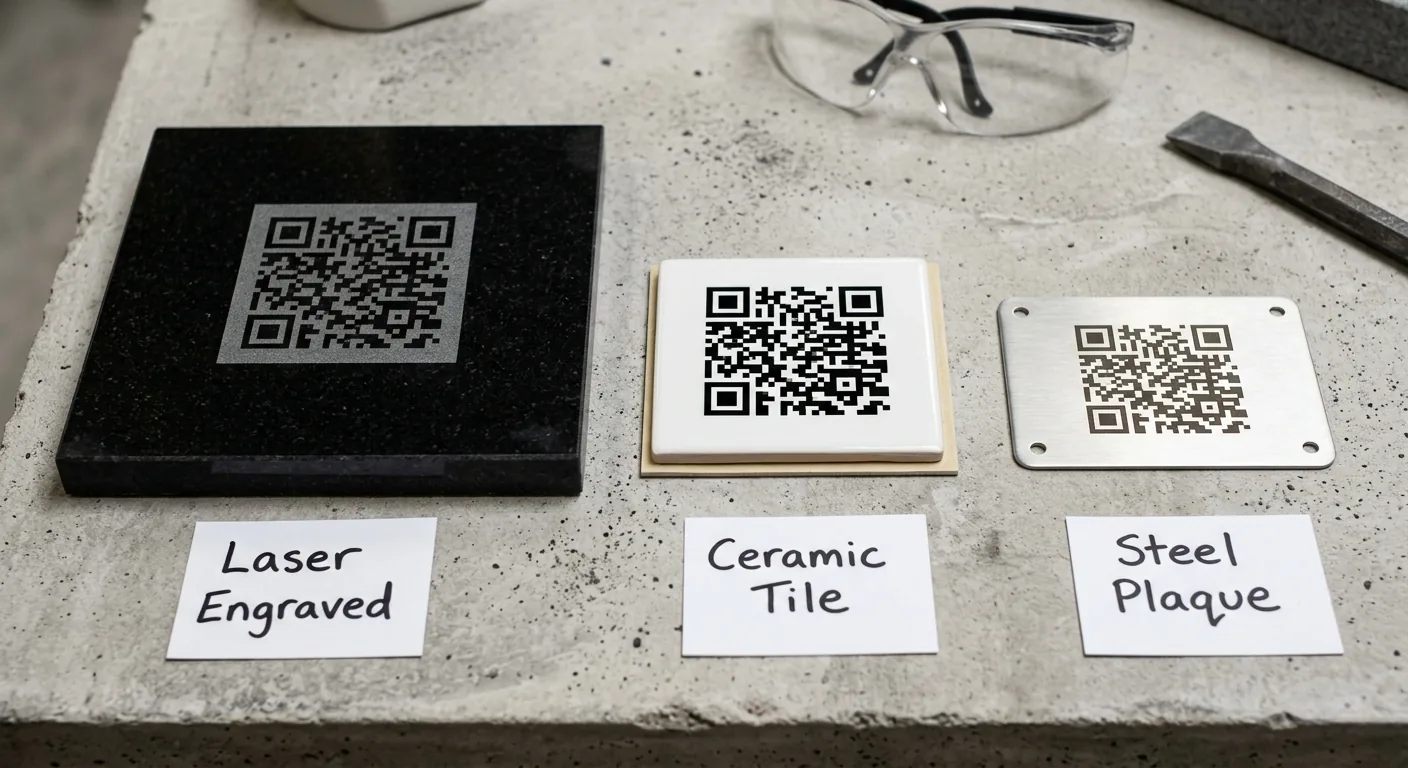
- Choose a format for the tombstone — there are three common methods:
• Laser engraving — the QR code is etched directly into the polished granite. This is permanent and weather-resistant. Most South African stonemasons who do laser-etched portraits can do this.
• Ceramic or porcelain tile — the code is printed onto a small glazed tile (usually 5–8 cm) and fixed to the headstone with outdoor adhesive. Durable and replaceable.
• Stainless steel or aluminium plaque — the code is engraved or printed onto a small metal tag and bolted to the stone. Corrosion-resistant and long-lasting. - Provide the image to your stonemason — send them the downloaded QR code file along with the size and placement you want. Most stonemasons are familiar with the process. A size of 4–6 cm works well for close-range scanning.
- Test after installation — once the code is on the headstone, scan it with your phone to confirm it opens the correct tribute page. Ask someone else to test with a different phone.
Place the QR code on the lower portion of the headstone where it is easy to reach with a phone camera. Avoid placing it flat on the ground slab — upright or angled surfaces scan more reliably. Make sure the area is not shaded by overhanging trees or structures, as phones need reasonable light to scan.
Best Practices for Tombstone QR Codes
A tombstone QR code is meant to last for decades. That means the link behind it must be just as permanent. Here are the things that matter most:
Use a Permanent Link
The QR code is etched in stone — you cannot change it later. It must point to a URL that will not break, expire, or redirect to an error page. TributePoint tribute URLs are permanent by design. As long as the tribute exists, the link works.
Ensure the Page Is Mobile-Friendly
Every person who scans a tombstone QR code will be using a phone. The page must load cleanly on any screen size, with readable text, properly scaled images, and no need to pinch or zoom. TributePoint pages are built mobile-first and tested across devices.
Keep Content Simple and Fast-Loading
Cemeteries often have weak mobile signal. The tribute page should load quickly even on slower connections. Avoid embedding heavy video files directly on the page. Compressed photos, clean text, and lightweight design ensure the page opens within seconds — even on 3G.
Choose a Trusted Platform
Free link-shortening services shut down. Personal websites expire when hosting lapses. Social media profiles get deleted. For something as permanent as a tombstone, use a platform that is built for long-term memorials and actively maintained. A broken QR code on a headstone cannot be corrected without physical rework.
How TributePoint Supports Tombstone QR Codes
TributePoint is designed for exactly this kind of long-term remembrance. When you create a tribute, you get a permanent digital memorial page with a unique URL that does not change. The built-in QR code links directly to that page and can be downloaded in high resolution — ready to hand to your stonemason. The tribute page is mobile-optimised, fast-loading, and accessible to anyone with a smartphone. There are no expiry dates on tributes, no annual renewal fees for the memorial page, and the family retains full control to update photos, messages, and content at any time. Whether someone scans the code next week or ten years from now, they will reach the same tribute — kept safe, kept accessible, kept dignified.
Create a Tribute with a Built-In QR Code
Every TributePoint tribute includes a free, downloadable QR code. No design skills needed — just create, download, and print.
Start a Free TributeFrequently Asked Questions
Does it cost anything to use the QR code?
No. The QR code is included free with every TributePoint tribute — even on the free plan.
Do guests need to download an app?
No. Any smartphone camera can scan QR codes natively. No app downloads are required.
Can I update the tribute page after printing the QR code?
Yes. The QR code points to the live tribute page. Any updates you make — new photos, changed programme items, updated funeral details — are immediately visible to anyone who scans the code.
What if someone does not have a smartphone?
You can always share the direct link (e.g. tributepoint.co.za/john-doe) via SMS or tell them verbally. The QR code is an added convenience, not a replacement for other sharing methods.
Can I turn the QR code feature off?
Yes. In the feature settings panel on your tribute, you can toggle the QR code on or off at any time.

Kabelo Ndlovu is TributePoint's Product Education Lead. He explains TributePoint's digital memorial, livestreaming, programme, donation, and funeral-home tools in clear, practical language for families and funeral professionals.
Also helpful: Create a TributePoint memorial page when you are ready to share service details, or explore more practical support in our South African funeral guides.